


There are a couple of different messages and troubleshooting routes based on the firmware of your scanner.
Here are a few things to try if you are seeing a red No Wi-Fi icon or a red No Tether icon.


- For scanners running new firmware (V3.0.0), the app will direct you to the Wi-Fi tab to connect to a network.
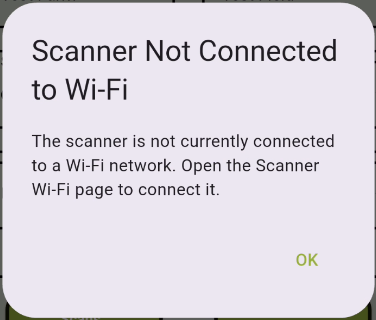
- There is the possibility that the scanner will not be able to display a list of networks. If that happens, make sure that you are in range of a Wi-Fi network or that you have your phone's hotspot enabled.
- For scanners running Legacy firmware (V2.4.0 or older), the app will direct you to enable Bluetooth Tethering on your phone.
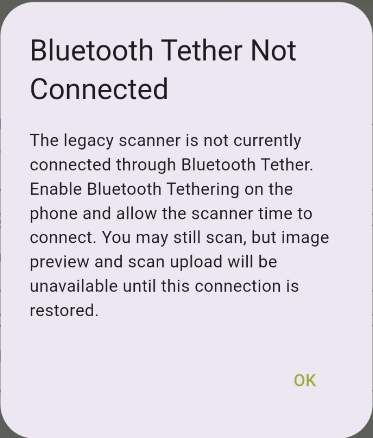
- For iOS devices
- Enable the Personal Hotspot with the Maximize Compatibility switch enabled.
- In the iPhone's Bluetooth Menu, verify that the device is connected and that the device type is set to 'other.'
- For Android Devices
- Go to the phone's settings and use the search function to find "Bluetooth Tethering" and enable it.
- In the phone's Bluetooth Menu, verify that the device is connected.
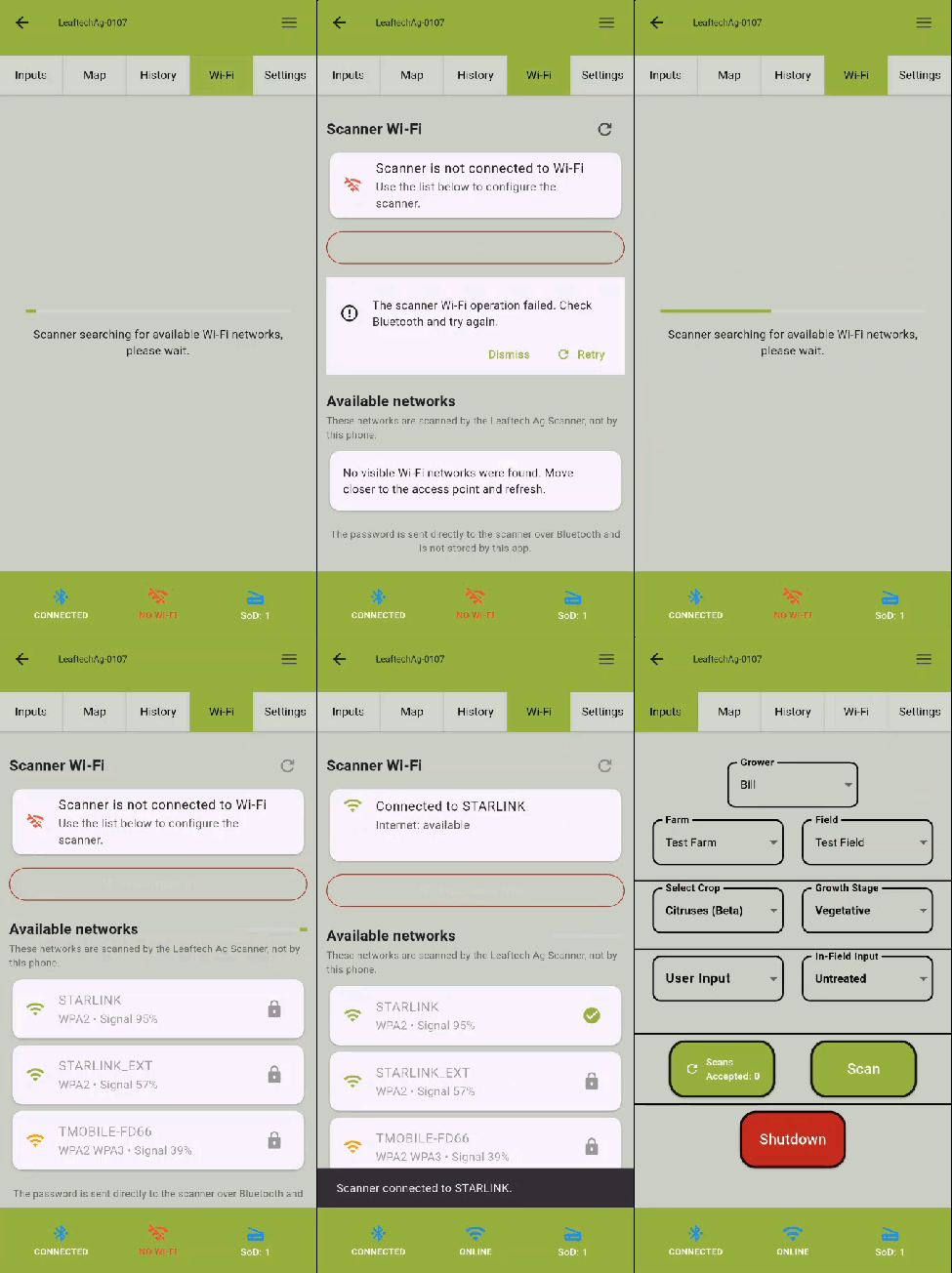
If following those steps does not solve the issue, there here a few other items to try.
For both iOS and Android devices:
- Verify that the battery is charged (has more than 1 bar).
- Verify that you have good cellular coverage.
- Disconnect from all other Bluetooth devices.
- Try toggling the Wi-Fi off.
If you are using an iOS device, then:
- Make sure hotspot is on and maximize compatibility is enabled.
-
In the phone's Bluetooth menu, select the Leaftech Scanner, go to settings (circled blue i), and set the device type to 'Other.'
-
If the above items and a few minutes of waiting for the device to connect, do not solve the issue, then try the following:
-
In the phone's Bluetooth menu, forget the Leaftech Scanner.
-
Pair with the scanner.
-
Set the device type to 'Other.'
-
-
If all else fails:
-
Verify that your phone is running iOS version 26.4 or greater.
-
Contact support.
-

