



 207
207
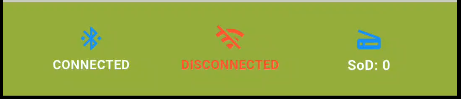
Here are a few things to try if you are seeing a red, disconnected icon for the Hotspot or Bluetooth Tether.
The app will give you a few tips in a pop-up message.
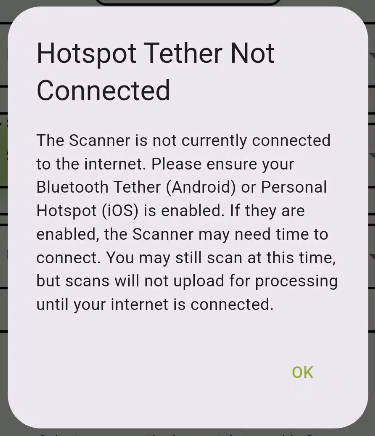
If following those steps does not solve the issue, there here a few other items to try.
For both iOS and Android devices:
- Verify that the battery is charged (has more than 1 bar).
- Verify that you have good cellular coverage.
- Disconnect from all other Bluetooth devices.
If you are using an iOS device, then:
- Make sure hotspot is on and maximize compatibility is enabled.
-
In the phone's Bluetooth menu, select the Leaftech Scanner, go to settings (circled blue i), and set the device type to 'Other.'
-
If the above items and a few minutes of waiting for the device to connect, do not solve the issue, then try the following:
-
In the phone's Bluetooth menu, forget the Leaftech Scanner.
-
Pair with the scanner.
-
Set the device type to 'Other.'
-
-
If all else fails:
-
Verify that your phone is running iOS version 26.4 or greater.
-
If you are using an Android device:
-
Try toggling the Wi-Fi off.

