

Connecting to the Scanner

Sep 22, 2026
1

Starting with a booted scanner:
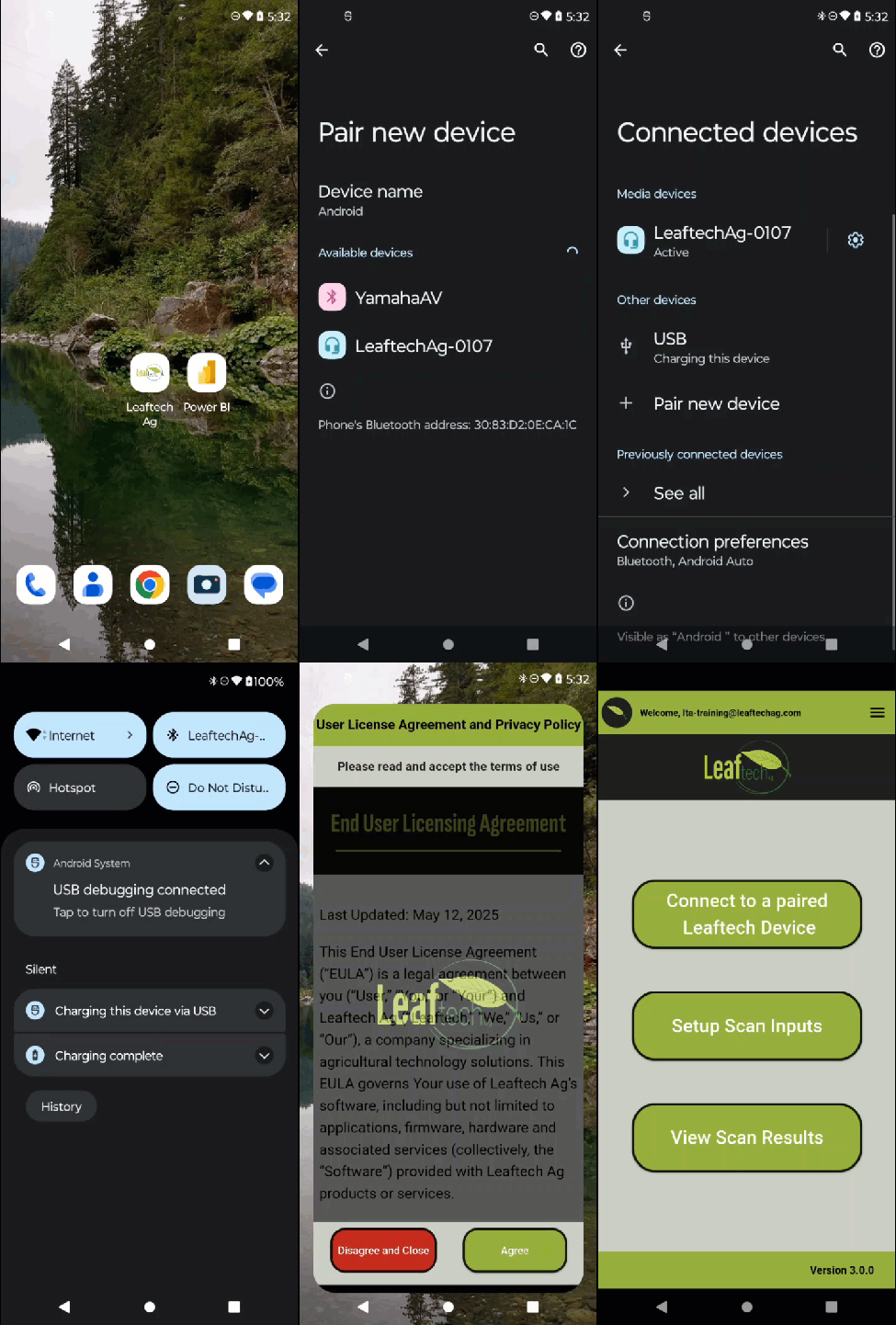
There is a simple process for connecting to the scanner:
- Use your phone's Bluetooth menu to pair with the scanner.
- Enable your phone's hotspot or connect to an existing Wi-Fi network.
- Start the Leaftech Ag app.
Next Article: Getting Started in the App

