

Loading Scan Pins to Map

Sep 22, 2026
0

After Getting Started in the App.
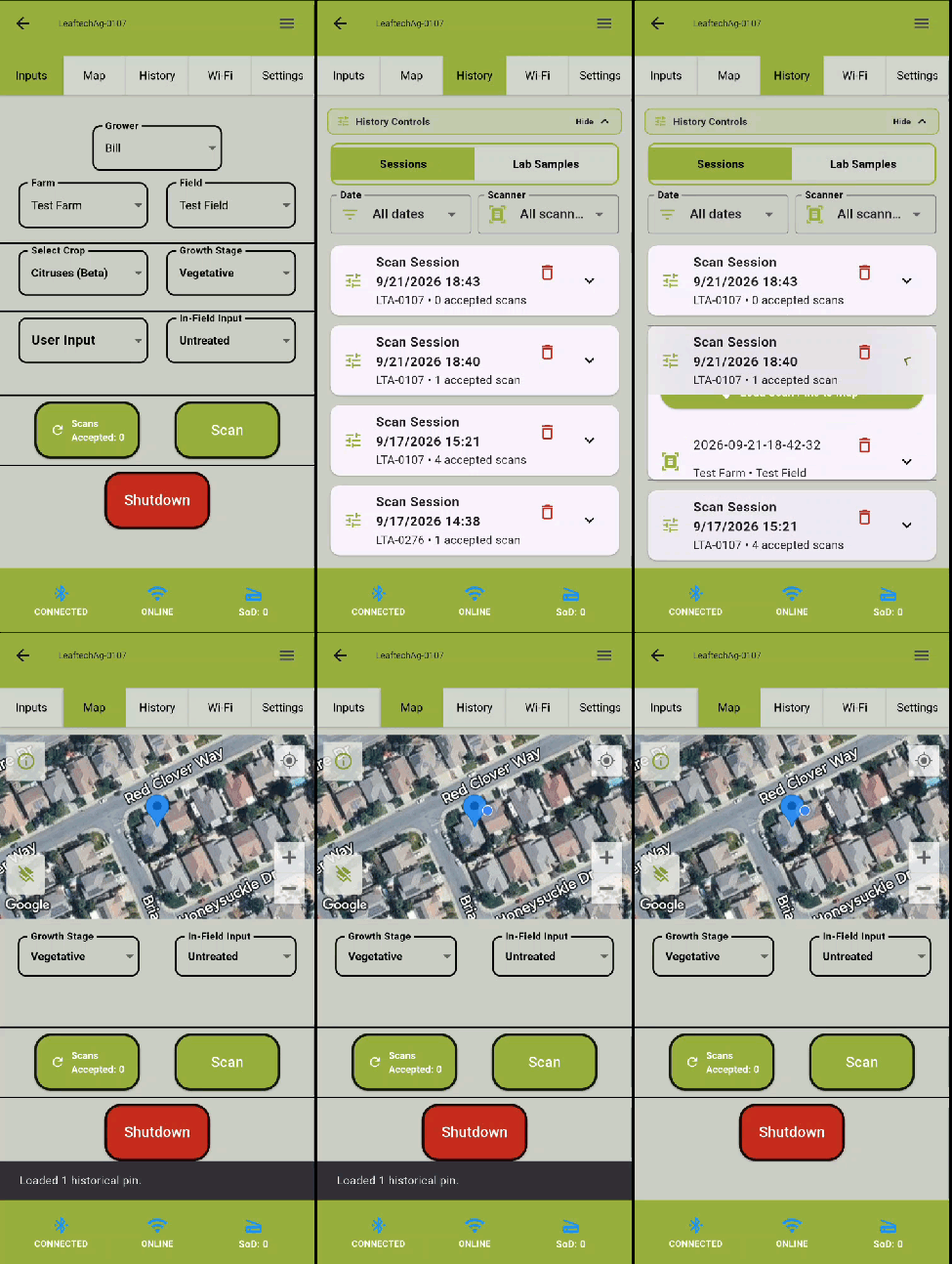
- Select the History tab.
- Expand out the desired Scan Session.
- Select Load Scan Pins to Map.
- The loaded pins shows as blue pin drops in the map view.
Next Article: Viewing Historic Scan Images

